Records Management
There are two types of ways users can view their Records on the UltraDNS Managed Services Portal.
Whichever Records Management View is selected when logging out will be the view displayed when logging back in again.
Grouped View
The Grouped View is the standard view that users are most commonly familiar with. Each Record type can easily be expanded or collapsed to streamline your viewing experience. Additionally, you can click the Add Record, or Add Pool next to record type, without needing to expand a record section.
Expanding a Record type section displays the records or pools created using that record type, along with the option to Edit or view the Permissions for each record.
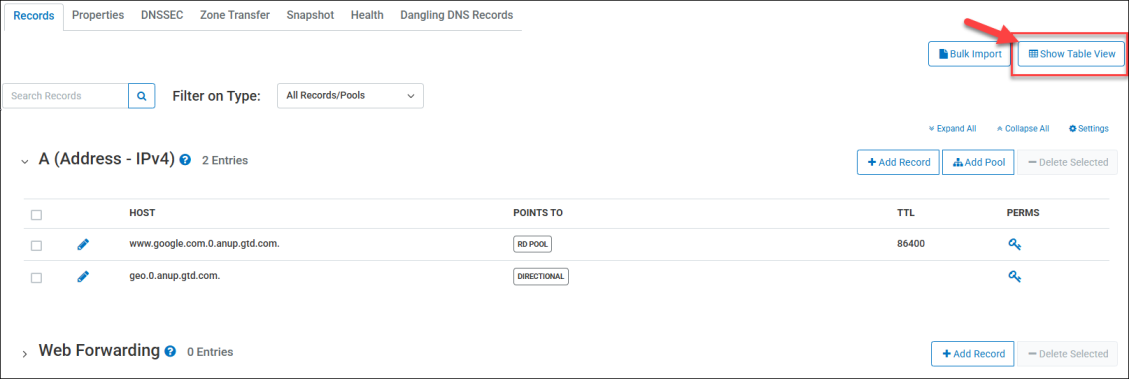
Table View
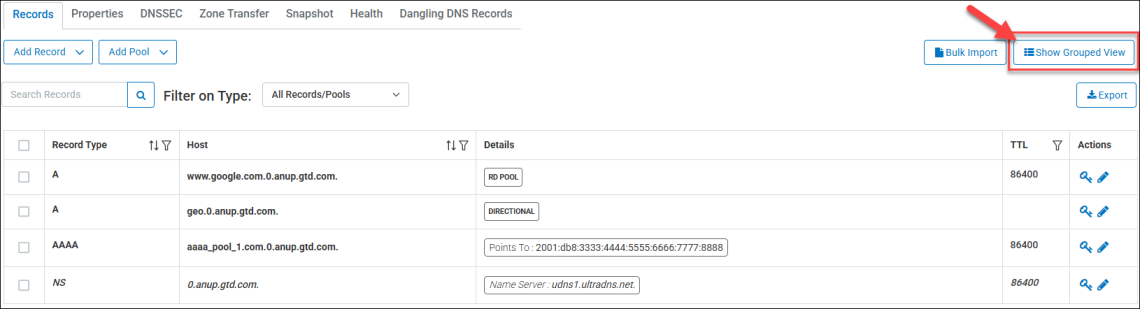
The Table View provides users with a more compact and streamlined view of the records within their Domain. Instead of every record type that is supported being displayed, the Table View only displays those records and/or Pools that have been configured on your Account.
|
|
Only Domains with 5,000 or less records are be able to utilize the Table View format for Records. |

The prevalent details are displayed as a high-level overview, along with the  and
and  Permissions options for each record/pool in the Actions column.
The Filter on Type drop-down menu lets you further customize and drill-down the results when viewing your records, and when using the Search Records field.
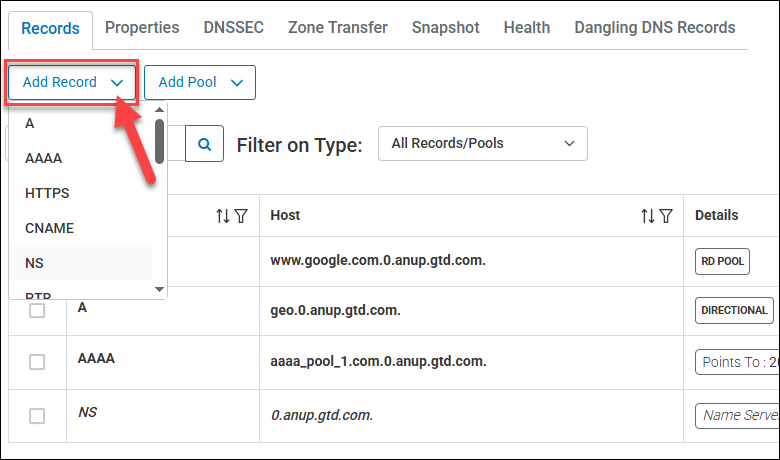
Creating Records and/or Pools has been streamlined by providing a drop-down menu to select an individual record pool type to begin the creation process.
|
|
If an Apex Alias record already exists, it will be grayed out from the drop-down menu. |
Export Record Details
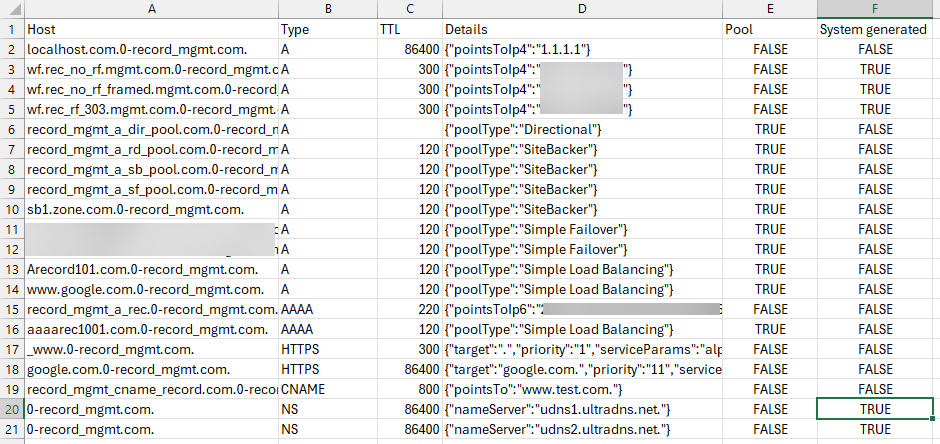
When viewing records using the Table View, you have the option to Export your domain’s record details. You can use the filtering options to narrow down your records or export every record in the domain to a .CSV file.
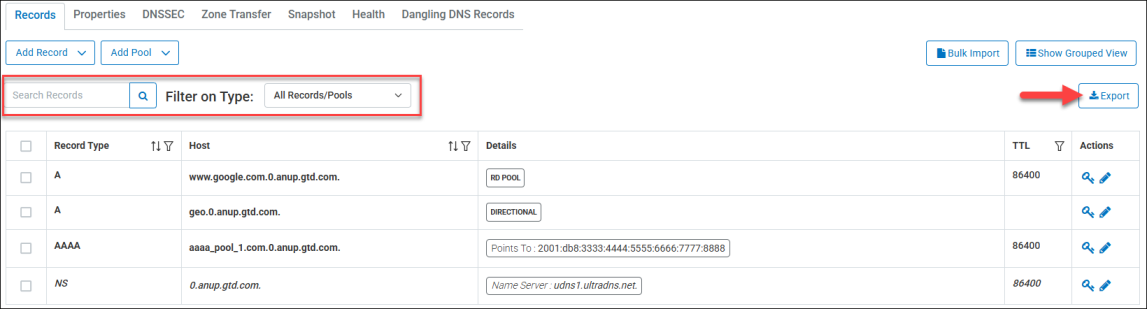
One of the following filtering options can be applied to customize your records being displayed.
-
Use the Filter on Type drop-down menu to broadly narrow down by record type.
-
Use the Search Records field to provide a specific search parameter to display your records.
-
If no filtering options are selected, every record in the domain will be exported.
If you do use a filtering option, the Export function gives you the choice to export the records using the filter option, or to export all records in the domain.
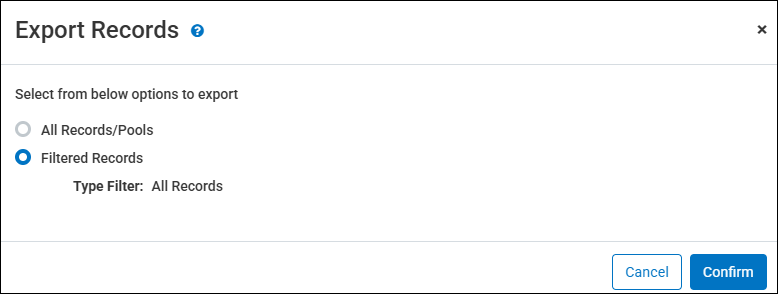
The records are exported with the following details provided:
|
Field |
Description |
|---|---|
| Host | Displays the host name for the record. |
| Type | Displays the specific record type. |
| TTL | Displays the configured Time to Live value for the record. |
| Details | Displays various details for the record that can include the points to value, the pool type the record is associated with, comments, and other configured values. |
| Pool | Displays a True/False indicator if the record belongs to a pool. |
| System Generated | Displays a True/False indicator if the record was created manually or generated by the UltraDNS system. This will most commonly identify the Name Server (NS) records. |