Domain Filtering and Sorting
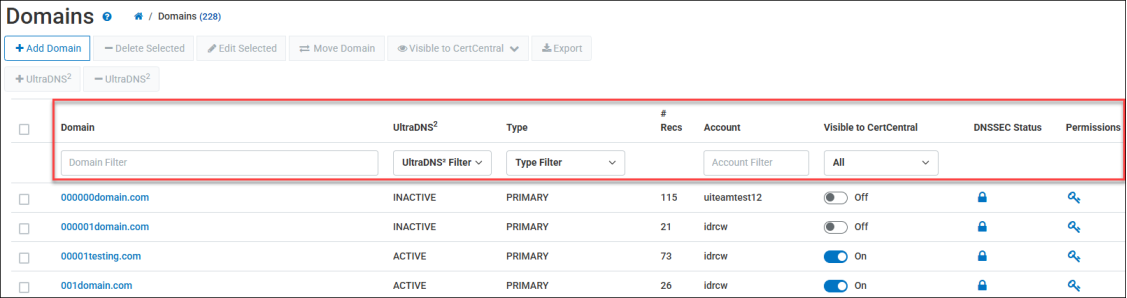
Each domain added to your account on the UltraDNS Managed Services Portal displays the following details:
-
Domain Name
-
Type - The type of domain (primary, secondary, alias).
-
# Recs - The number of records in the domain.
-
Account - The account name that the domain is assigned to.
-
DNSSEC Status - Displays whether the domain is Signed (locked icon) or Un-signed (unlock icon).
-
Permission - Enables the ability to view and apply permissions as well as exceptions for the domain.
Additional features, such as the UltraDNS2 and Visible to CertCentral, are optional features that can be added to your account by contact Customer Support.
The domains section will be auto-sorted in an alphabetically descending order.
-
The Domain Search Bar allows you to quickly search for a specific domain name with the support of wildcard search results. A wildcard search automatically returns the possible matches for your search criteria.
-
You can filter domains by using the Type Filter drop-down menu and select a domain type to organize the list of displayed domains.
-
The Account search bar does not support wildcard or partial matching, so you must provide a valid account name to search for.